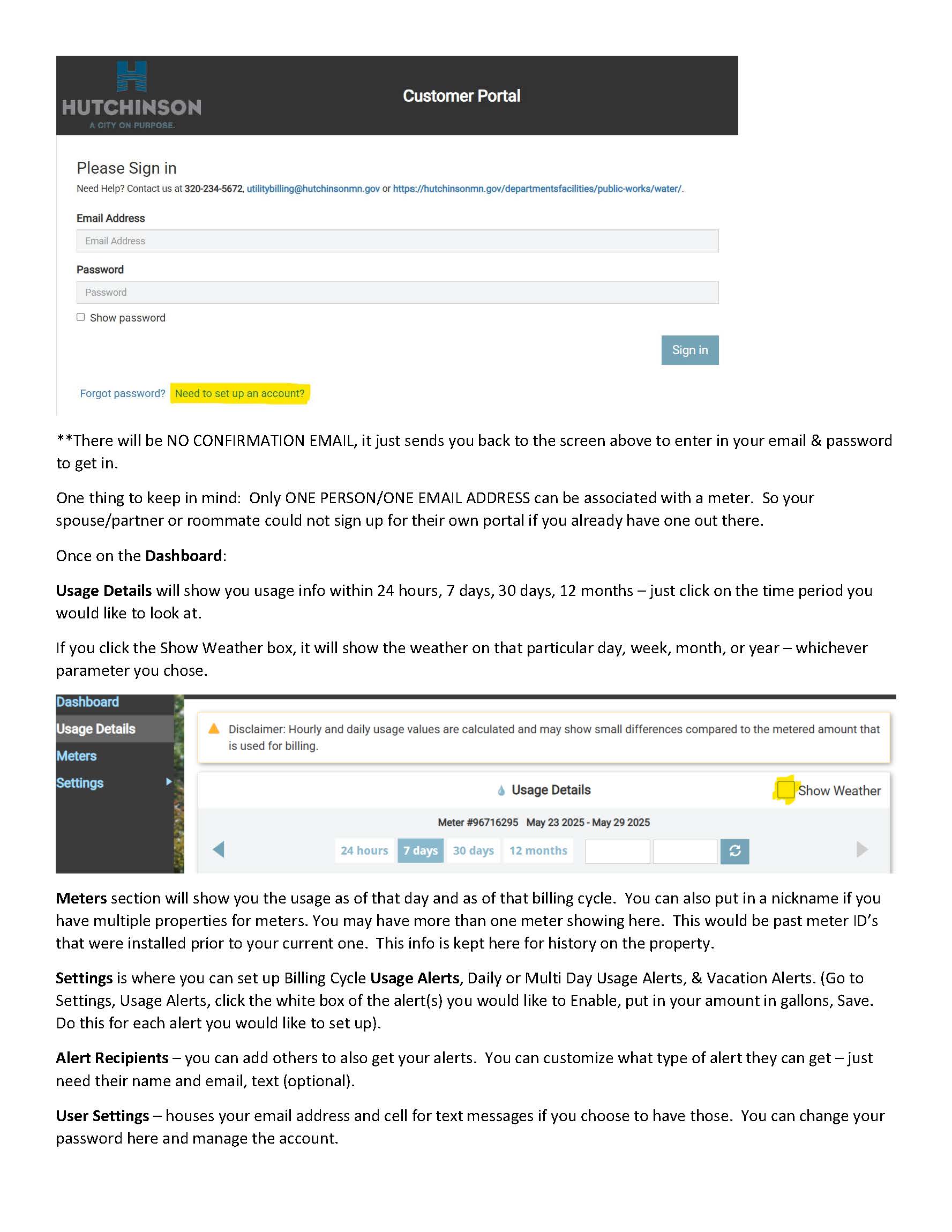
The City of Hutchinson now has new software on the water utility side with a customer portal option that you can sign up for to be able to see your meter usage/history.
If you are interested in signing up for this, please use the link below (or call into Water Billing and we can email you the link) to create your account.
A couple cool features with this portal once you are set up:
- You can see your current & past usage on your meter(s) in your home.
- You can set up daily/multiday/vacation usage alerts as well as alarm thresholds for yourself as needed.
- You can also set up others to get alerts if you are on vacation and not in the area should something
happen. - You can give your meters nicknames if you have multiple properties.
*One thing to keep in mind: Only one person/one email address can be associated with a meter. So your spouse/partner or roommate could not sign up for their own portal if you already have one out there.
Watch this short 2 minute video to navigate through the sign up process:
Click this link for the Customer Portal and follow the steps below to sign up:
- Click on “Need to set up account?”.
- Agree to the Terms & Conditions at the bottom.
- Put in your email address, then click Get Started. An invitation is sent to this email address.
- Click on the link within the email to complete the sign-up process. *For your Account ID, DO NOT USE THE HYPHENS, just type in the numbers) as well as your name AS IT APPEARS ON THE BILL (Doe, John not John Doe).
- Hit Submit when you have completed all fields.
If you have questions, please feel free to call the Water Billing Department at (320) 234-5672.